Your work is full of situations.Corpus prepares the next move.
Corpus connects the context, tracks what changed, and gets the next step ready — whether you're online, away, or coming back.
What Corpus understands
Corpus understands your work as situations.
A situation is the messy thing actually happening — not a task, not a thread. Each one has context scattered across your tools.
A client escalation
Two email threads chasing an ETA, engineers debating root cause in Slack, half-confirmed fix in Notion.
An investor follow-up
Last week's deck, board email thread, metrics in a spreadsheet, open questions sitting in your drafts.
A job application
JD in one tab, recruiter email, your résumé, notes from the referral call — never in the same place.
A hiring process
Candidates across inboxes, interview notes in Notion, scorecards in Slack, scheduling still pending.
A launch decision
Marketing pushing next week, Sales asking for two more, Product flagging dependencies, leadership wants a date today.
A meeting follow-up
Recording, scattered notes, three action items mentioned in passing, two people waiting on a reply.
A project update
Status drifting across Slack threads, Notion docs out of date, stakeholders asking the same question in different tools.
A customer issue
Ticket open, internal thread debating the cause, last reply waiting on you while the customer pings again.
Corpus connects the pieces, keeps each situation updated, and helps you take the next action.
How it works
Five mechanics. One calm system.
Corpus doesn't just respond — it understands, maintains, and moves entire situations forward while you're doing something else.
Groups related events into situations
Emails, messages, docs, and meetings that belong to the same thread of work are automatically clustered into living situations — not isolated tasks.
Maintains and updates context for every situation
As new events land, Corpus keeps each situation's full history current — who said what, what changed, and what's still open.
Knows what to do next, even when you're away
Auto-Pilot reads the state of a situation and decides the right next action — no prompts, no check-ins, no babysitting.
Executes actions with respect to the situation
It doesn't fire generic replies. Every action is grounded in the specific context, stakeholders, and history of that exact situation.
Shows you the reasoning and sources
If Corpus took an action, you can see exactly why — the thought process, the sources it drew from, and what it considered before acting.
One situation. Many tools.
Your situations, already understood.
No prompts. No catching up. The moment you sit down, Corpus has already grouped the noise into living situations — and told you what moved in each one.
A briefing per situation
Every event in your situation — read for you.
Corpus reads what landed while you were away and hands you a calm, situation-by-situation summary of what actually moved — not a pile of unread messages.
Sorted by situation
Every event lands in the situation it belongs to.
Must Act. Should Progress. Respond. FYI. Events are organised within their situation — jump to the source with full context, and write back into the native app without losing the thread.
Step away. Corpus moves your work situation forward.
Auto-Pilot
Your situations, already moving forward.
Corpus understands the state of each situation — then prepares the right next action before you even ask. You stay in control. The situation just stops stalling.
Grounded in the situation
Every action reflects the full situation.
Corpus reads the history, stakeholders, and open threads inside a situation — then drafts the next move with all of that context baked in. Not a generic template. A situation-specific response.
One situation. Synced everywhere.
Edit in Corpus. Update the whole situation.
Tweak a draft inside Corpus and the change flows straight back to every tool that situation touches — Slack, Gmail, Notion, Linear. The situation stays consistent across every app.
Situations keep running
Step away. Come back to progress.
Tell Corpus what to watch for in a situation — a client reply, a launch signal, a decision threshold. It monitors, nudges, drafts, and moves the situation forward until you're back. No frantic catch-up. Just a calm runway of completed work.
You weren't built to hold every situation in your head.
Your canvas
The interface layer you've been missing.
One quiet canvas for all your tools. Connect in a click — Corpus does the rest.
Click, drag, compose
Every app, exactly where you need it.
Pop Slack next to a Notion doc. Drag Gmail beside a Linear ticket. The work stays in view — together — so your attention finally stays in one place.
Plug it in. We'll handle the rest
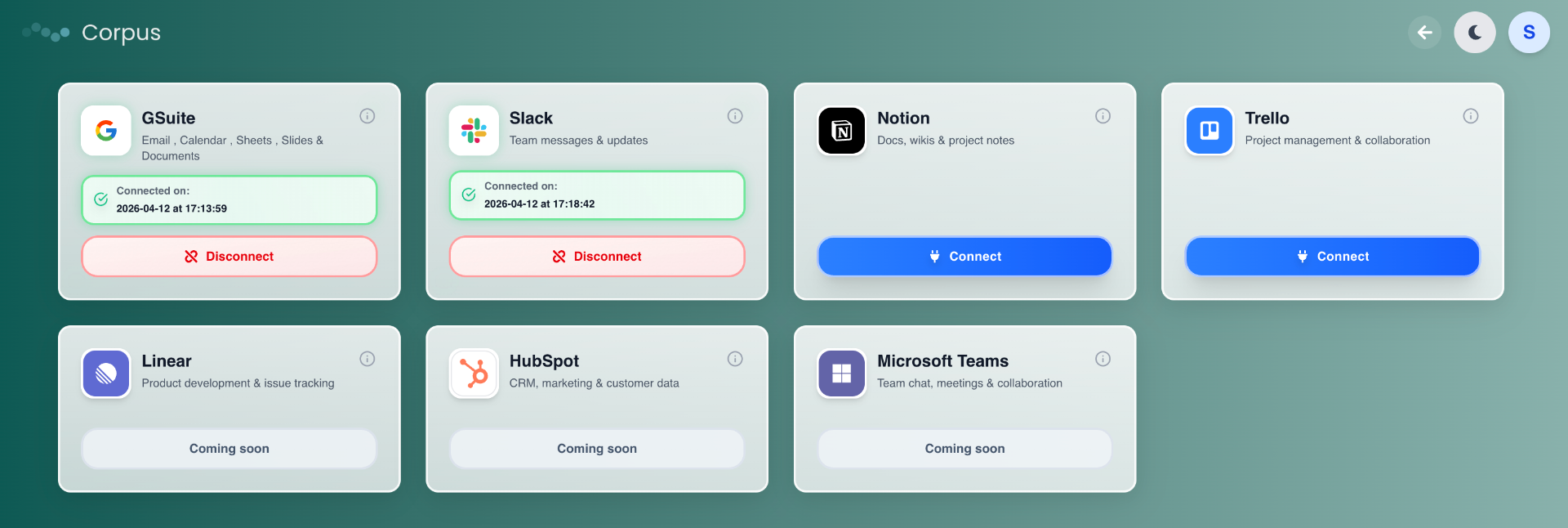
Connect the tools your situations already live in.
Sign in once. Corpus quietly indexes context across Gmail, Slack, Docs, Calendar, Notion and more — and starts surfacing what matters without a single rule to write.
Request access to Corpus.
We're onboarding selected users who want a better way to stay on top of live work situations across emails, docs, meetings, messages, and follow-ups.
Limited access · Manual onboarding